
Showcase
- ✓ Design it — describe what you want; 1,359 ACE files give AI full architectural context
- ✓ AI builds it — Claude reads context, writes code, runs tests, and commits
- ✓ You steer — rich interactive cards with choice buttons let you direct from any device
What You Get
Concrete outcomes, not features. Here's what changes when you use greatVibe.
Your architecture decisions, file-level gotchas, and design intent survive across every session. The AI reads 1,359 documentation files before touching your code, so it never forgets why things are the way they are.
Every AI turn produces a visual card with syntax-highlighted code, diagrams, filterable tables, and choice buttons — not plain text dumps. Cards are the deliverable, not an afterthought.
A mobile-first PWA lets you review AI work, approve decisions, and direct next steps from your phone. No need to be at your desk when the AI needs a 10-second decision.
Your server, desktop, and laptop join a mesh network. See all AI coding sessions across all machines from one dashboard. Credentials distribute automatically via encrypted gossip.
Every architectural decision is recorded with rationale, alternatives, and confidence level. A searchable knowledge graph connects work across sessions and weeks. Answer "why did we do it this way?" instantly.
Drift detection tracks whether your AI actually follows its instructions. Metrics show compliance rates across 10 dimensions per session, so you know when quality is slipping — before the damage is done.
See It Live
Real screenshots from the running platform. This isn't a mockup — it's what you actually see when you use greatVibe.
Same tool calls, file edits, and working output you see in VS Code or an SSH terminal — streamed live in the browser with the flow timeline alongside.
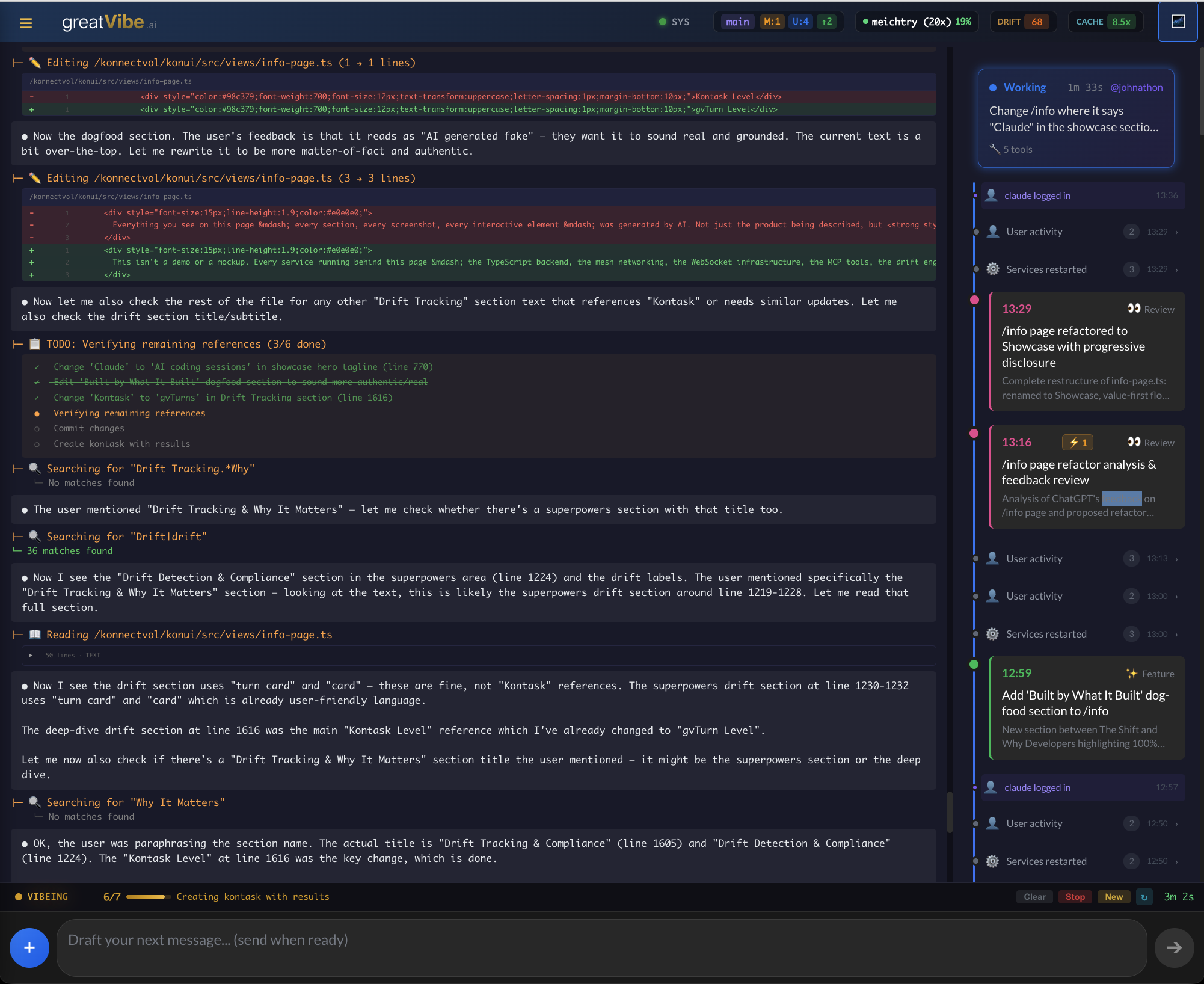

Every AI turn produces a card with HTML output, syntax-highlighted code, choice buttons, and inline scripts. The card is the deliverable — not a plain text dump.
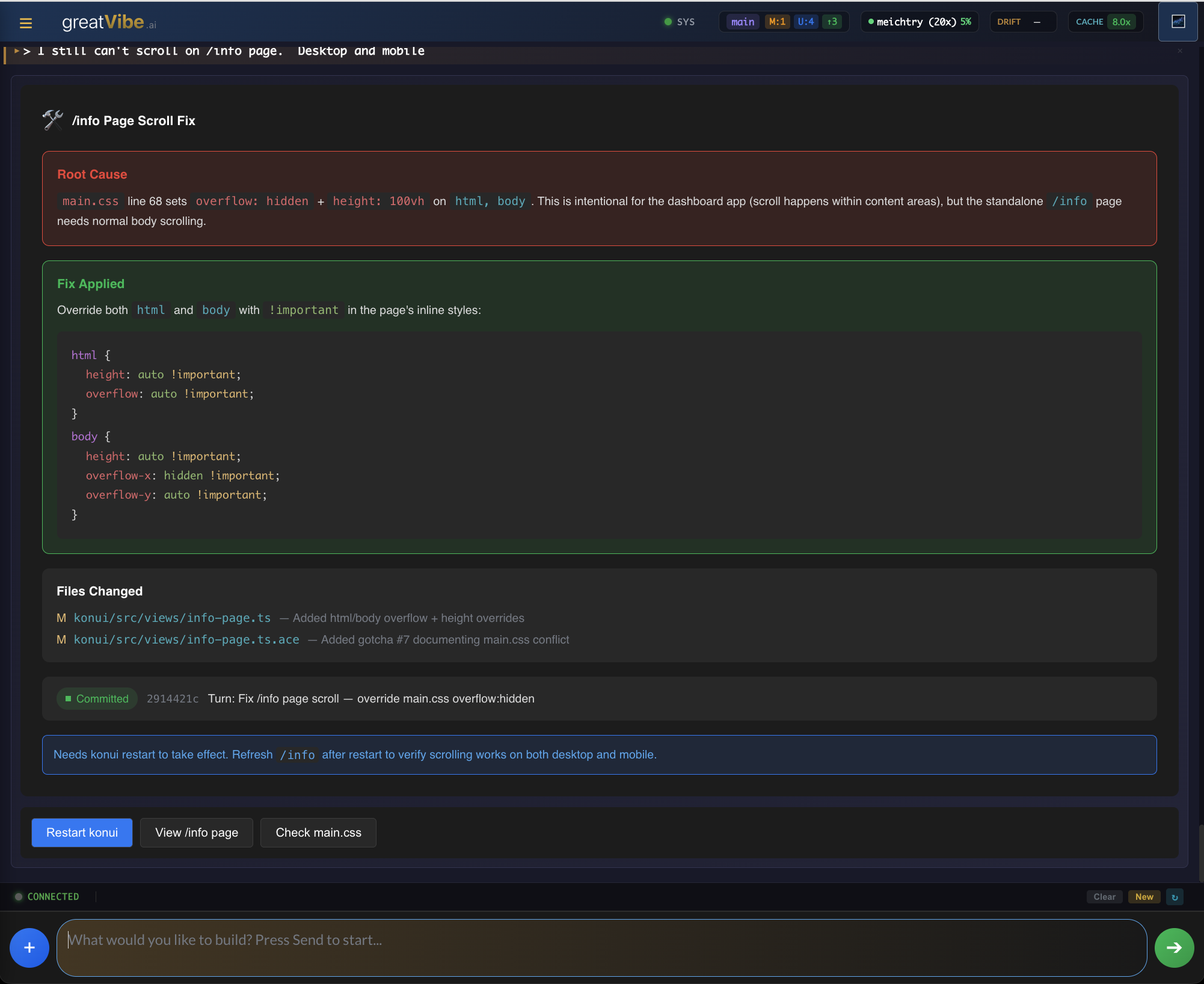
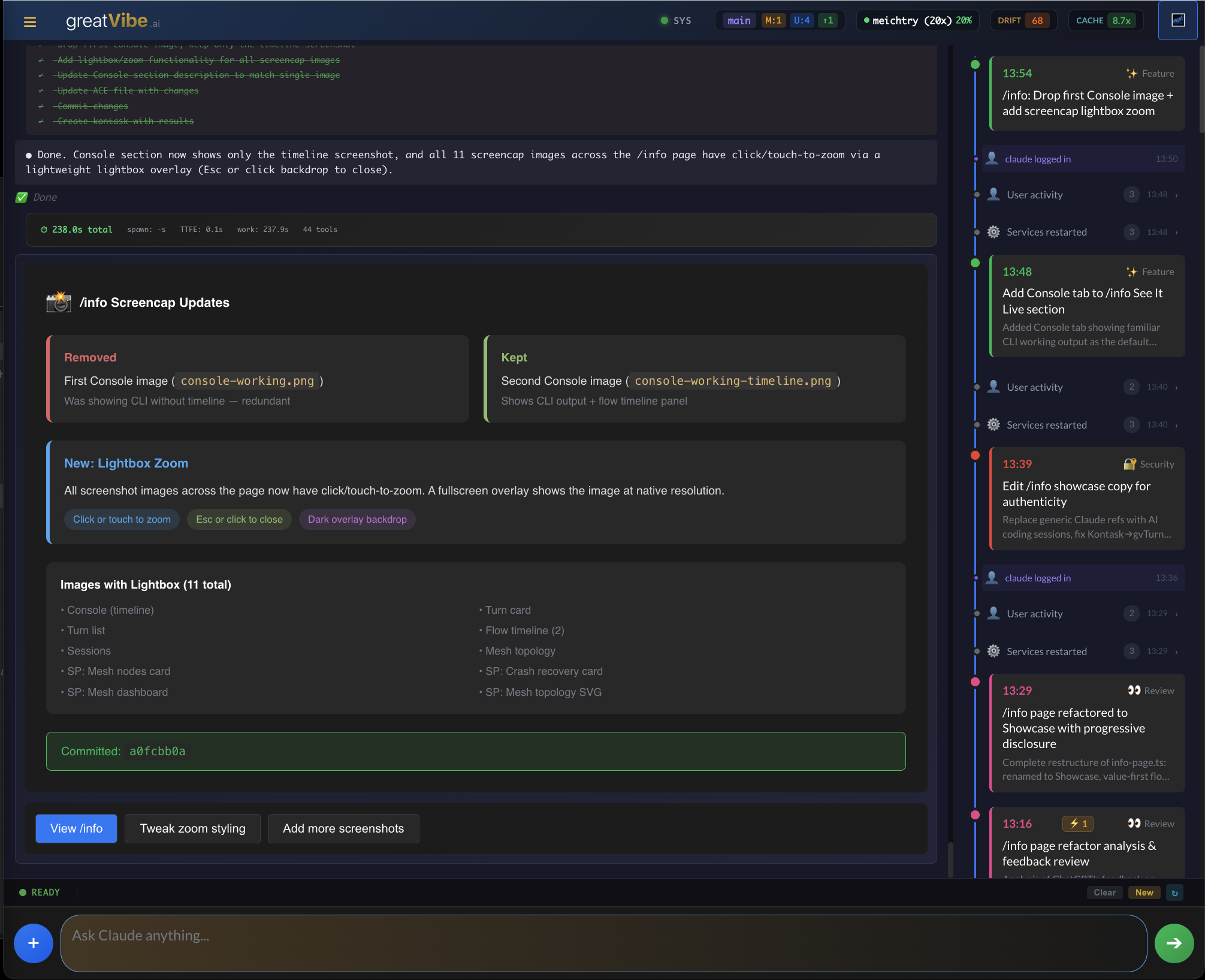
Every AI interaction is captured, searchable, and filterable. See all pending, approved, and completed turns across sessions.
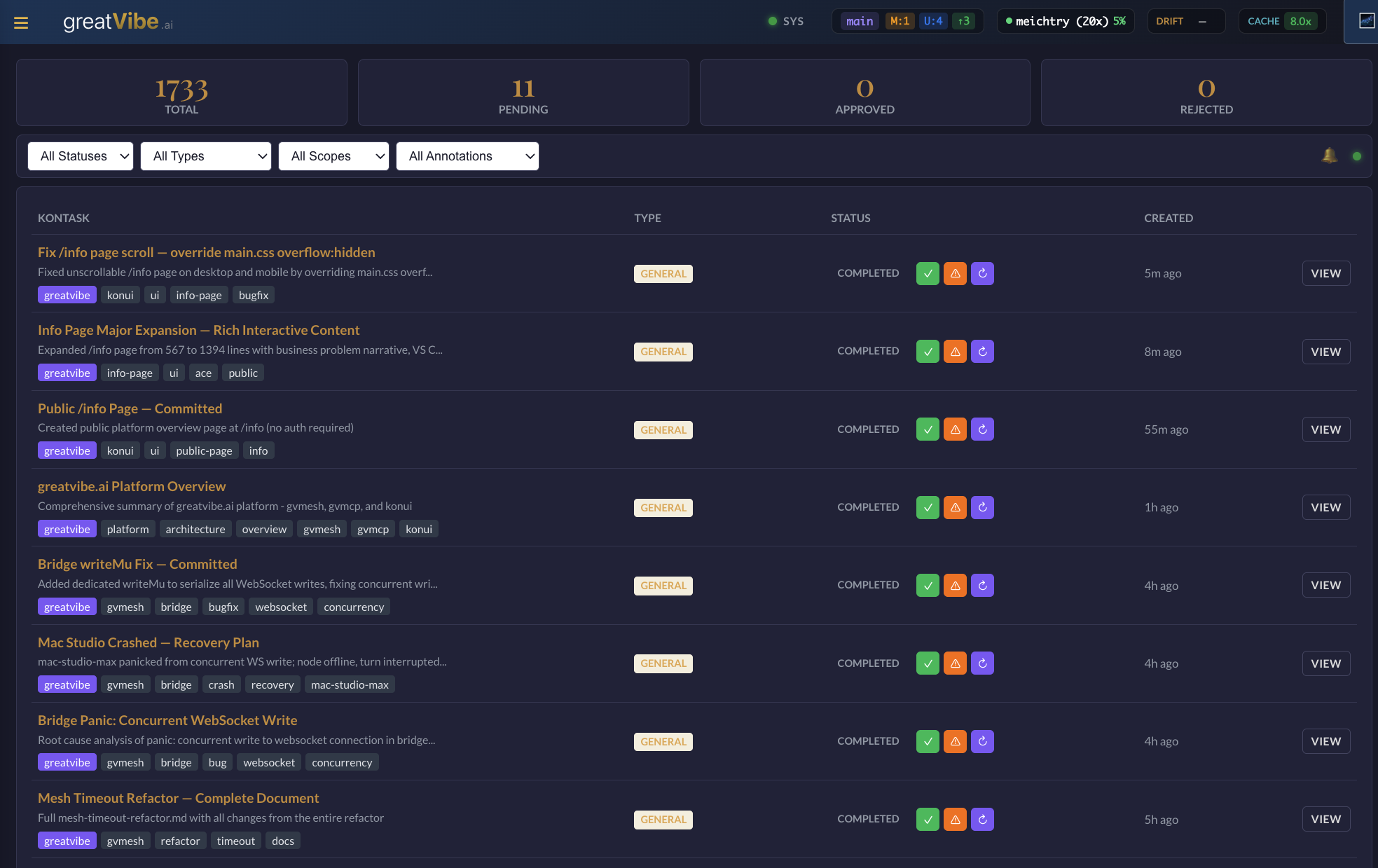
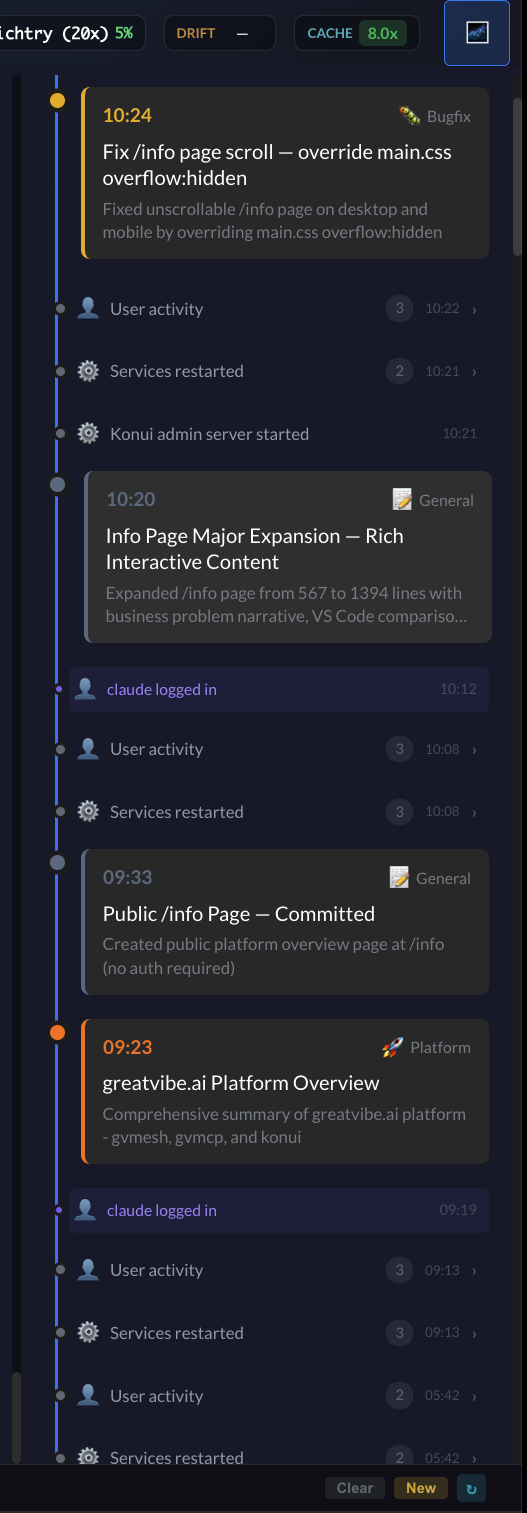
Flows track work from conception to completion, spanning multiple sessions and turns. The timeline shows events and decisions chronologically.
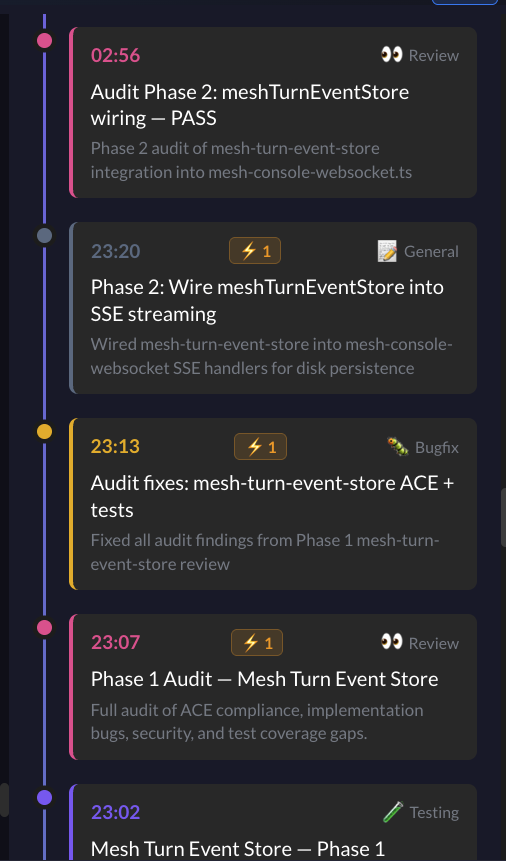
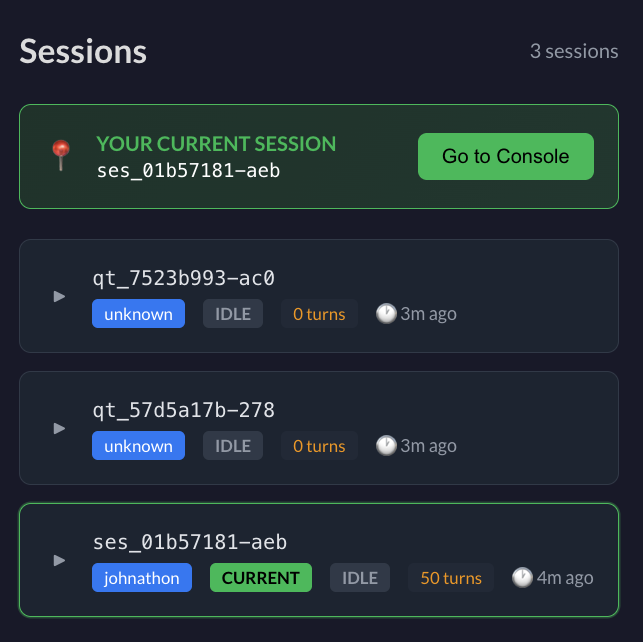
See all active AI coding sessions, their status, turn count, and which user owns them. Jump to any session's console with one click.
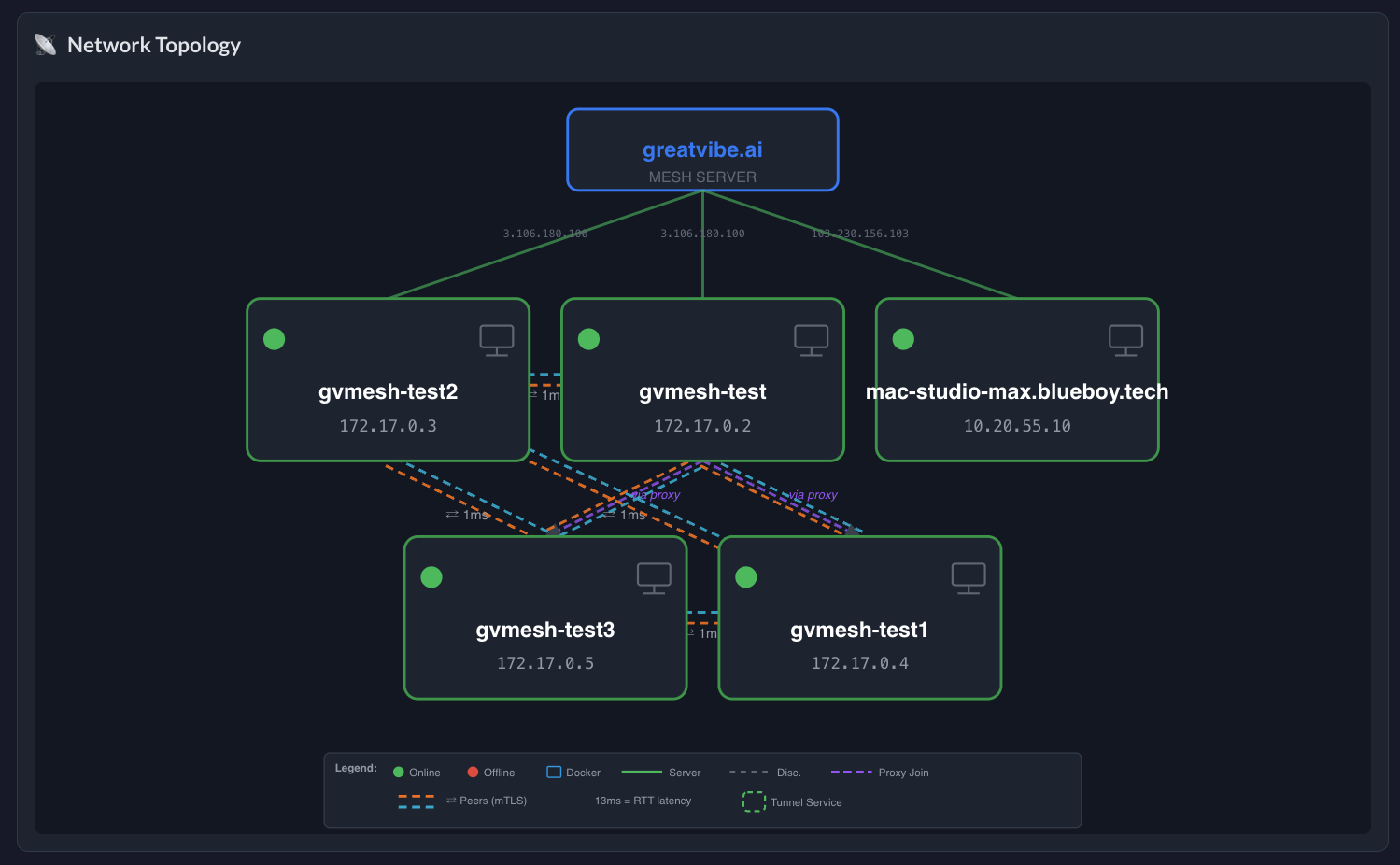
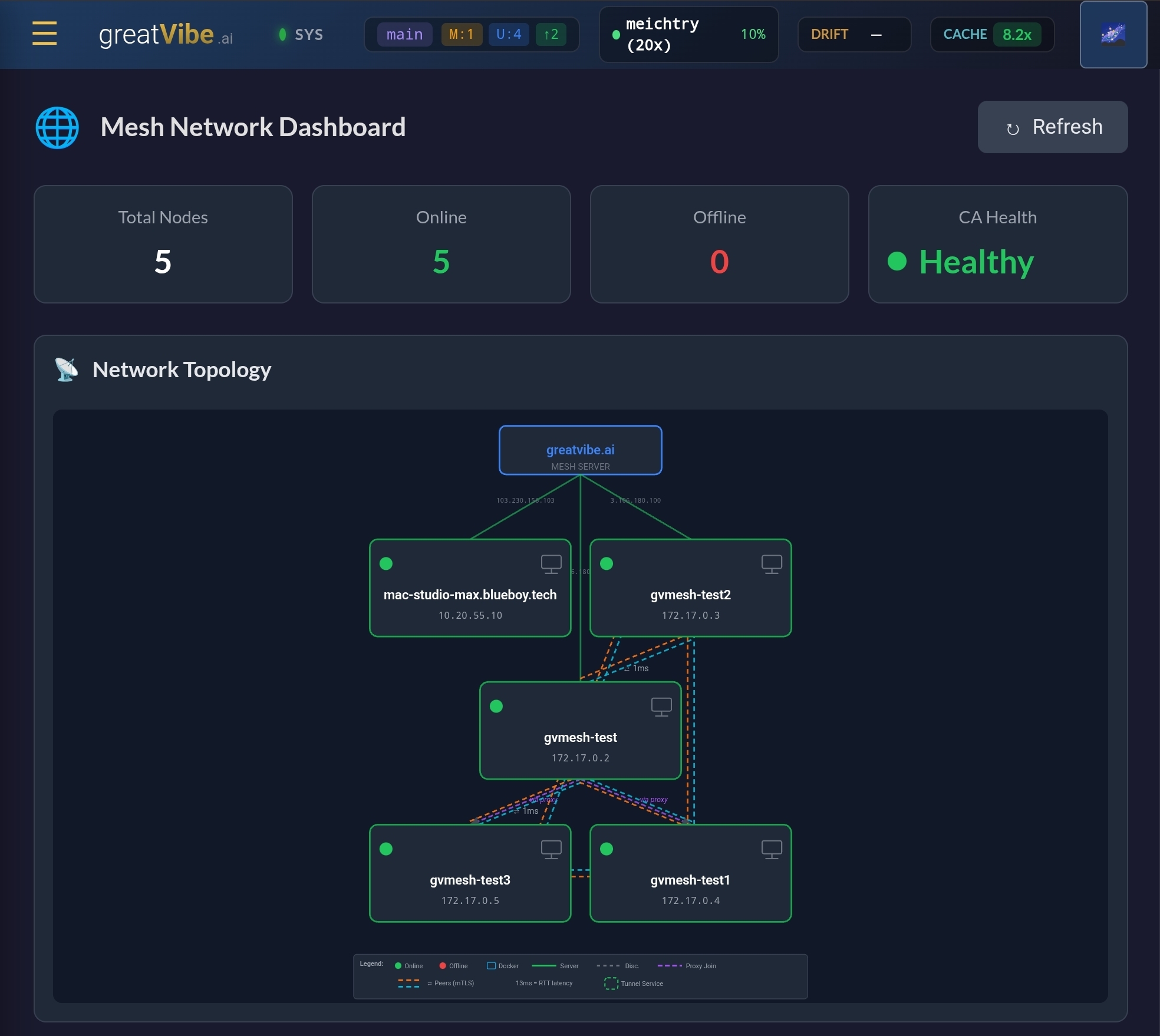
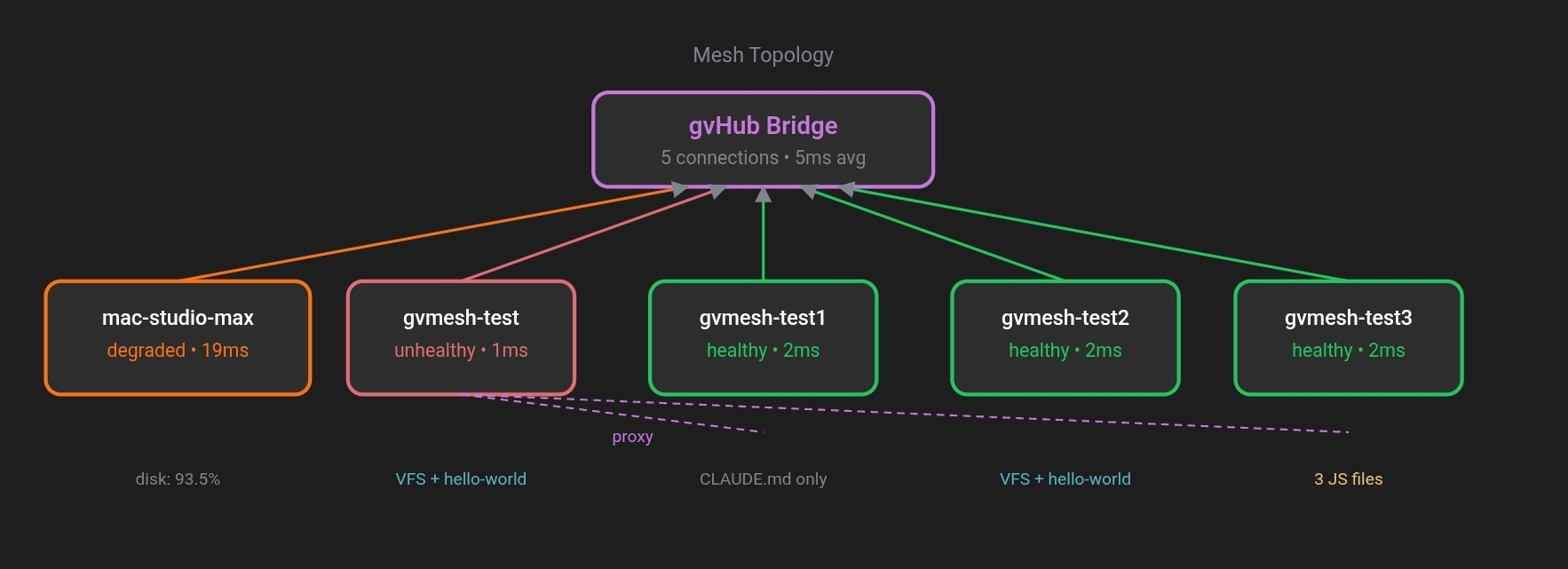
All your machines in one view. The mesh topology shows nodes, peer connections (mTLS), latency, and the bootstrap server. Manage sessions across machines from anywhere.
Built by What It Built
The Problem
AI coding tools are powerful inside a single session. But real software development is complex — it spans days, machines, and teams. That's where today's tools fall apart.
Each session starts cold. Your AI forgot the architecture, the gotchas, the decisions made yesterday. You re-explain the same things session after session.
AI is writing code somewhere on your machine. You can't see it from your phone. You can't approve a decision from the train. You're either watching a terminal or hoping nothing broke.
AI needs your input — "which database?", "refactor or patch?" — and blocks. If you're away from your desk, the session just waits. Hours wasted on a 10-second decision.
Your server runs one session, your laptop another, your desktop a third. Three silos. No unified view. Credentials copied manually. Work duplicated across machines.
AI doesn't know why your code is structured this way. It "improves" code by reverting intentional decisions. Death by a thousand AI-generated "improvements."
Your AI sessions produce insights, patterns, and solutions — then they vanish. No searchable history. No decision trail. No way to answer "why did we do it this way?"
How It Works
From sign-up to production — you design, AI builds with full context, you steer.
The Superpowers
Capabilities that don't exist anywhere else. Not incremental improvements — fundamentally new.
Every AI turn produces a rich HTML card with interactive components. Cards contain syntax-highlighted code, SVG diagrams, filterable tables, tabbed content, data capture forms, and live inline JavaScript.
greatVibe doesn't just prompt the AI — it compiles a complete system prompt from a layered asset pipeline. The CLAUDE.md file Claude reads is auto-generated from checksummed assets across 4 layers: kernel contracts, SDK docs, product context, and session-specific flow state.
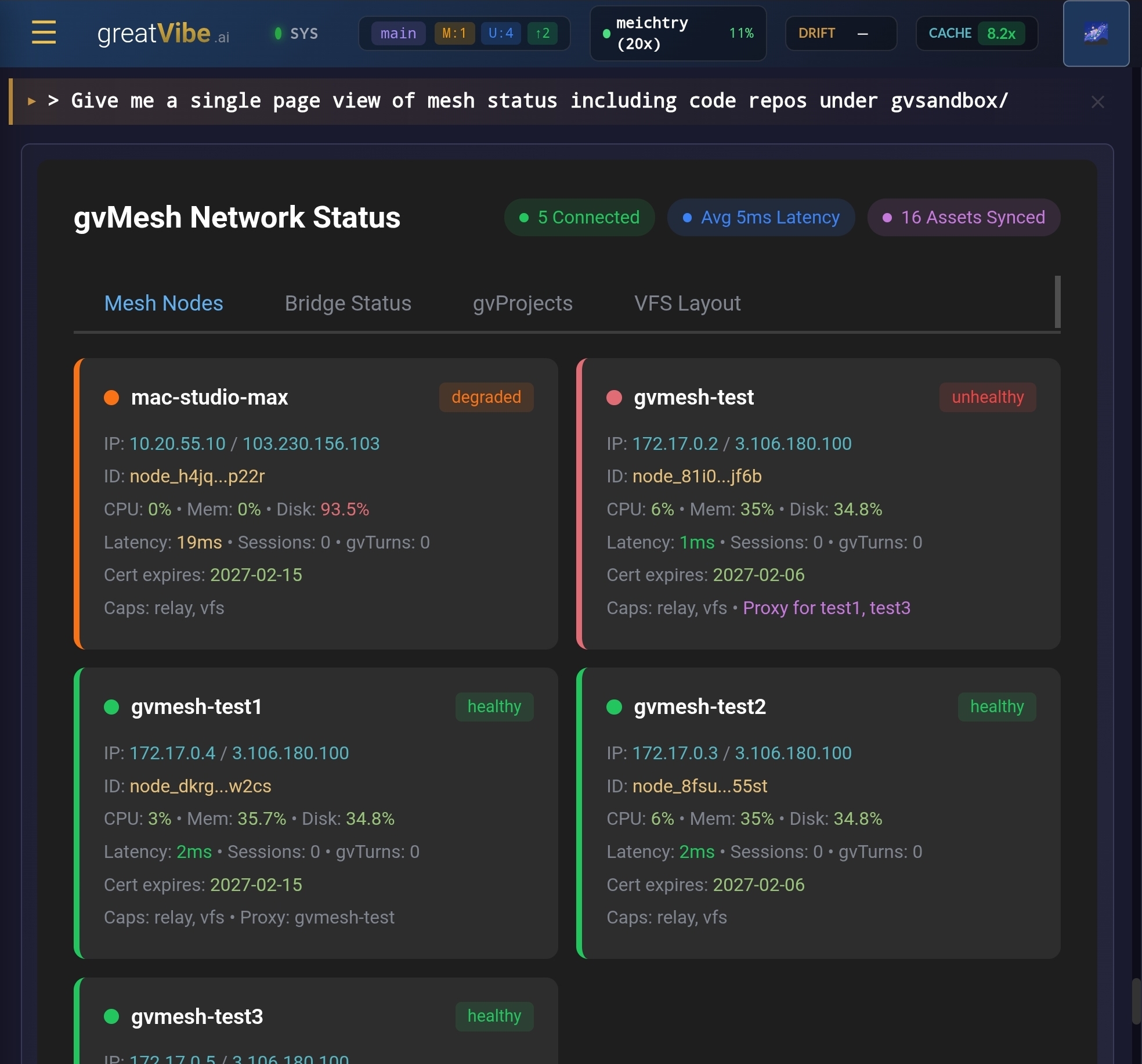
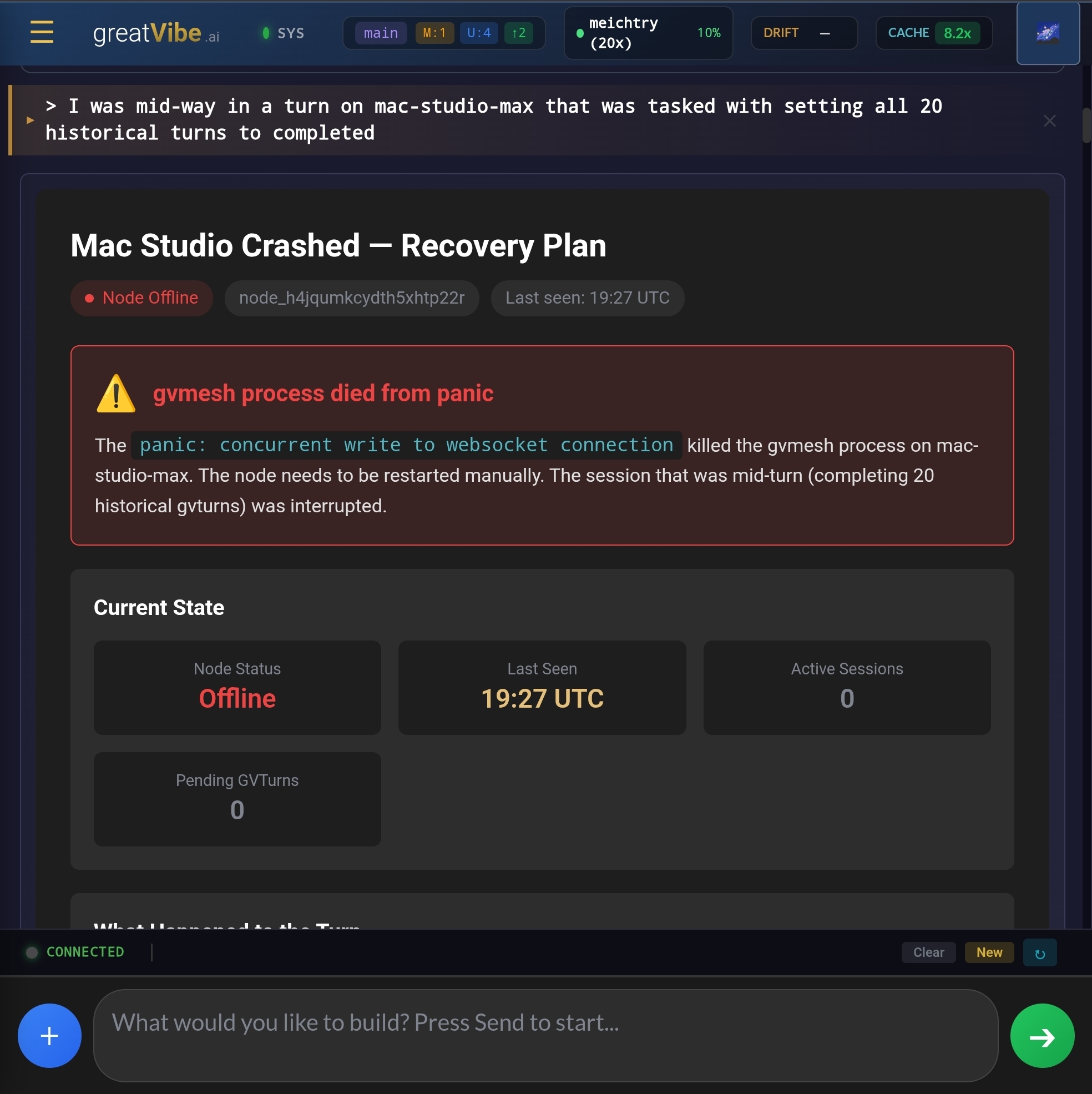
Every machine runs a mesh node. Nodes discover each other via gossip protocol, authenticate with mutual TLS, and form a peer-to-peer mesh. From any node (or the web dashboard), you can see and control sessions on every machine.
greatVibe doesn't just tell the AI what to do — it measures whether it's actually doing it. Drift metrics track compliance with output contracts, choices, testing, and more across 10 dimensions per session.
ACE — Agent-Centric Engineering
Design first, code second. Every code file has an adjacent .ace file so Claude always sees intent before implementation.
.ace file is more important than the code file. Code can be regenerated from good design. Design cannot be recovered from code.
Three Problems That Kill AI-Assisted Development
AI agents operate with limited context windows. Without documentation, the agent reads code, guesses the design intent, and may violate unstated constraints. Each session starts from scratch.
Codebases evolve, but the why behind decisions lives only in tribal knowledge. Without ACE, an AI agent will "improve" code by reverting intentional decisions.
Every mistake an agent makes costs tokens to fix. Reading code to understand what should have been documented: waste. Debugging issues that a gotcha would have prevented: waste.
Tokens spent on docs < tokens wasted on mistakes. Always.
The Six Principles of ACE
ACE-First (Mandatory)
Every file has a design document. For new code, write the .ace first, then implement. For existing code, always read the .ace before reading the code. Not optional.
Locality of Documentation
Documentation lives next to the code it describes. Not buried in a /docs folder. Not scattered across wikis. Right there. auth.ts beside auth.ts.ace.
Change History with "Why"
The ACE file tracks significant changes — not what changed (git does that), but why. This prevents an agent from "improving" code by reverting intentional decisions.
Token Efficiency
ACE files are optimised for agent consumption. Max 5000 tokens. Structured sections, no prose padding. If you can't document it in 5000 tokens, the file is too complex — split it.
Procedural Knowledge
ACE captures not just what code does, but how to perform multi-step operations. Workflows section documents procedures that would otherwise live in tribal memory.
Agent Authorship
Claude writes and maintains .ace files. Humans prompt and review. The agent creates structured docs with purpose, functions, dependencies, and gotchas. Both iterate.
An Acedev is a developer who works agent-centrically: ensures design documentation exists before coding, updates documentation alongside code, and commits both together — neither alone. The design document is the source of truth. The code is just an implementation of that truth.
Two Types of ACE Files
auth.ts.acefolder.aceThe ACE-First Workflow
.ace first@ace-first
Always read ACE before code. Create if missing.
@ace-hierarchy
Read order: folder.ace → file.ace → code
@ace-mandatory
Never create code without companion ACE
@ace-design-led
Update ACE before code, not after
Five-Layer Enforcement Stack
ACE isn't just a guideline — it's enforced through instruction, detection, and hard gates.
File Coverage by Module
Every code file has a companion .ace file. Every directory gets a folder.ace for module-level architecture.
Real ACE Files from This Codebase
auth.ts.ace
konui/src/
# Purpose
Bearer token authentication for Konui. Dual-storage token system: localStorage (for JS API calls) and cookies (for browser navigation).
# Key Functions
checkAuth(request, config): Promise<AuthResult>
Authorization: Bearerheader (API calls with fetch)?token=query parameter (SSE connections)konui_tokencookie (browser page navigation)
# Gotchas
konui_token is hardcoded. Changing it will break existing authenticated sessions.# Change History
2026-01-10 — Added query param fallback for SSE
Why: EventSource API cannot set Authorization headers.
provider.go.ace
gvshell/internal/providers/
# Purpose
Core Provider interface for gvShell. All AI providers (Claude, OpenAI, Gemini, Ollama) implement this contract.
# Gotchas
routes/folder.ace
module-level architecture
# Design Intent
Routes are thin. They parse requests, call services, format responses. No business logic, no direct DB access.
# Dependency Graph
# Gotchas
Where We Are
An honest snapshot of maturity. greatVibe is actively used in production for its own development — here's what's built and what's in progress.
Architecture Deep Dive
For technical evaluators: the full platform architecture, component specs, and internal systems. Click any section to expand.
Platform Concepts
Real-time compliance rates per session.
Every token in CLAUDE.md consumes context window space. greatVibe treats system prompt engineering as a performance discipline — optimising every asset for maximum instruction density.
📄 This Page’s ACE File
Every code file in greatvibe has a companion .ace file — including this page. Below is the live ACE file that Claude reads before touching info-page.ts.
konui/src/views/info-page.ts.ace — the companion file Claude reads before modifying this page.
See more ACE examples →